What is Apollo's Analytics module?
Apollo is a sales intelligence and engagement platform that combines a B2B contact database with outreach tools — sequences, calls, and email — under one roof. Its Analytics section sits on top of that data, turning raw activity into a library of pre-built dashboards that sales leaders can open without building a single report from scratch.
Rather than a single fixed report, Apollo's Dashboards tab functions like a document library: a searchable, filterable list of named dashboards that different teams can star, own, and organize into folders.
The ten dashboards, out of the box
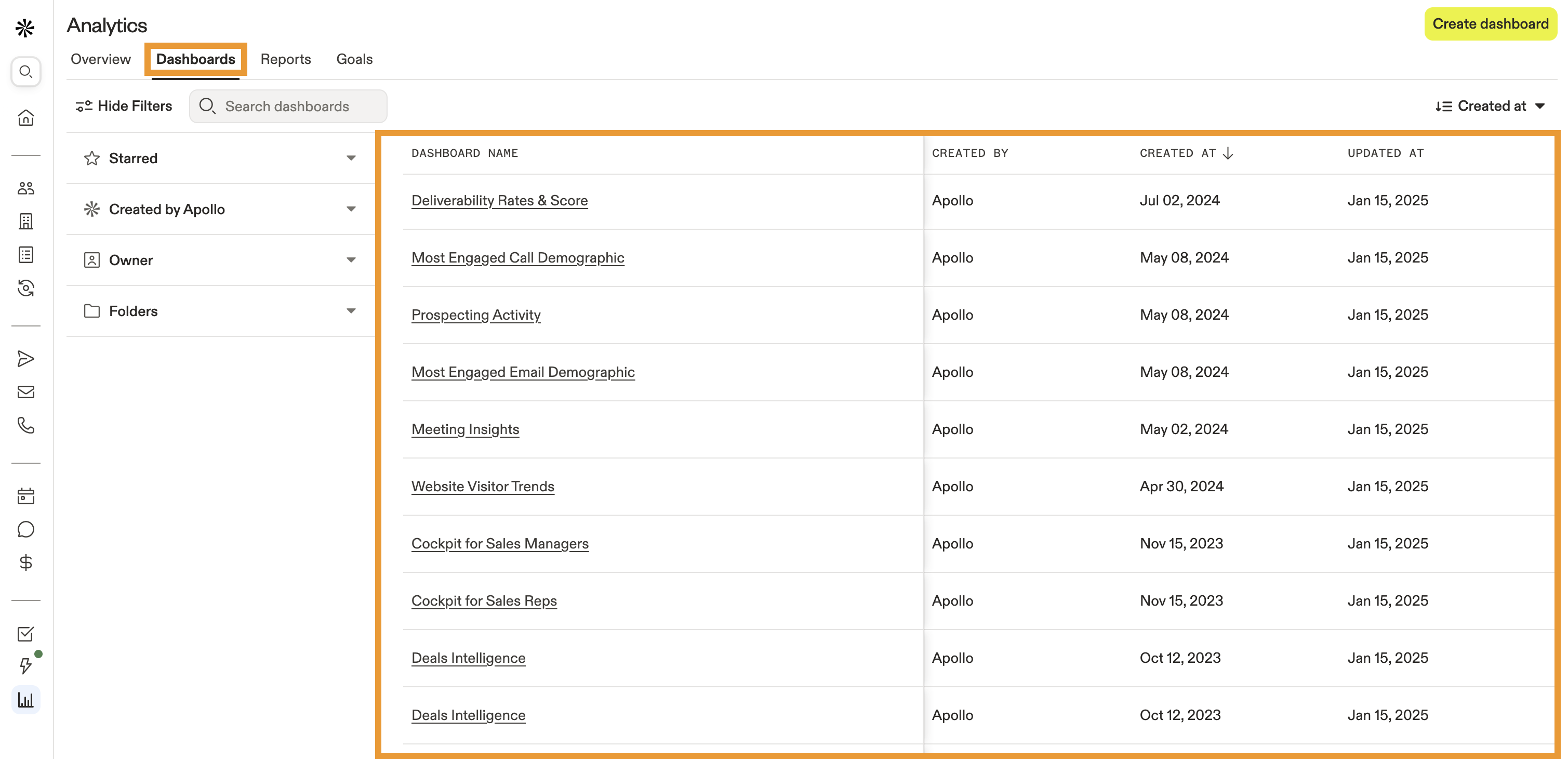
The Dashboards list shown in Apollo includes: Deliverability Rates & Score, Most Engaged Call Demographic, Prospecting Activity, Most Engaged Email Demographic, Meeting Insights, Website Visitor Trends, Cockpit for Sales Managers, Cockpit for Sales Reps, and two Deals Intelligence dashboards. Each row shows the dashboard name, who created it (labeled 'Apollo' for the built-in set), the creation date, and the last updated date.
This breadth matters because it maps to distinct roles within a revenue team. A sales manager opens 'Cockpit for Sales Managers' for a team-wide view; an individual rep opens 'Cockpit for Sales Reps' for a personal activity view; a marketing or deliverability owner checks 'Deliverability Rates & Score' to make sure outbound email isn't landing in spam. No single dashboard tries to serve every role — instead, Apollo ships a role-specific library.
Apollo doesn't ship one dashboard trying to serve every role — it ships a library, and each role opens the one built for them.
Filtering and organizing at scale
The left sidebar provides four filter groups: Starred (personal favorites), Created by Apollo (built-in vs. custom dashboards), Owner (filter by the team member who built or owns a dashboard), and Folders (custom groupings). For organizations running dozens of custom dashboards across multiple teams, this filtering layer is what keeps the library usable rather than becoming an unsearchable list.
The 'Created by Apollo' filter is a particularly useful distinction for evaluating the platform itself: it lets a new admin quickly separate the vendor-maintained dashboards (which get updated as Apollo ships new features) from anything the team has customized, avoiding confusion about which reports may need rebuilding after a platform update.
Sorting and discovery
The list supports sorting by Created At, with ascending/descending toggle, and a live search box ('Search dashboards') above the table. Combined with the sidebar filters, a team with a large dashboard library can locate a specific report in a few seconds rather than scrolling through an undifferentiated list — a small UX detail that compounds in value as an organization's Apollo usage matures.
Who benefits most from this dashboard library
Sales operations leaders managing multiple pods or regions get the most immediate value: rather than building manager and rep-level reporting from scratch, they can deploy Apollo's Cockpit dashboards on day one and customize incrementally. Teams new to sales analytics also benefit from having a credible starting point — the built-in dashboards represent patterns Apollo has already validated across its customer base.
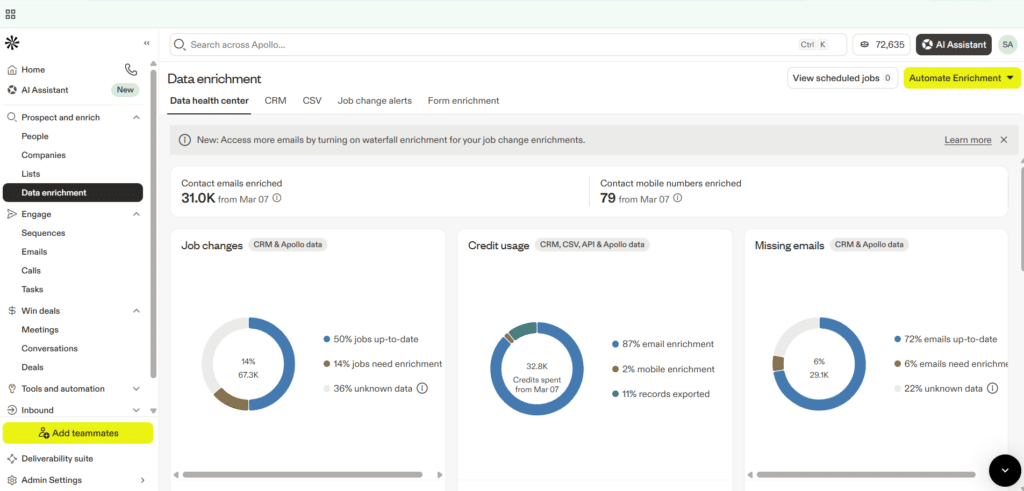
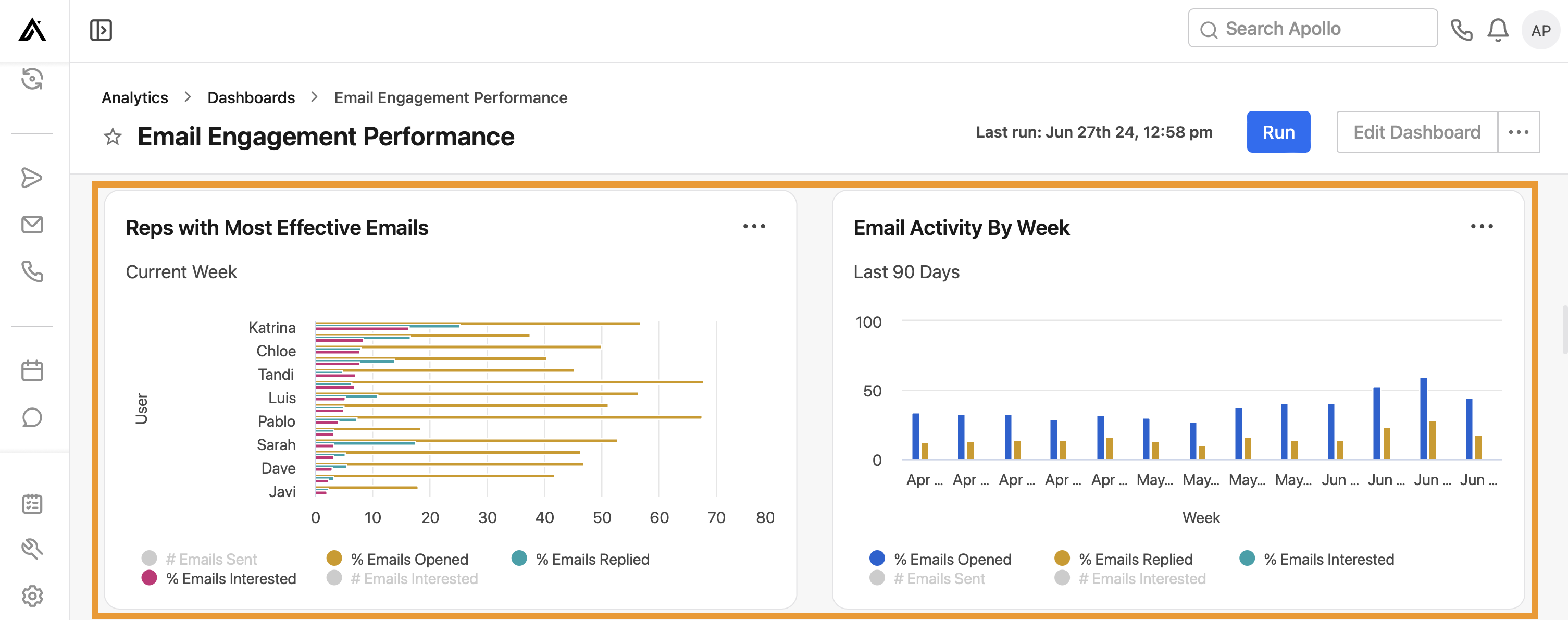
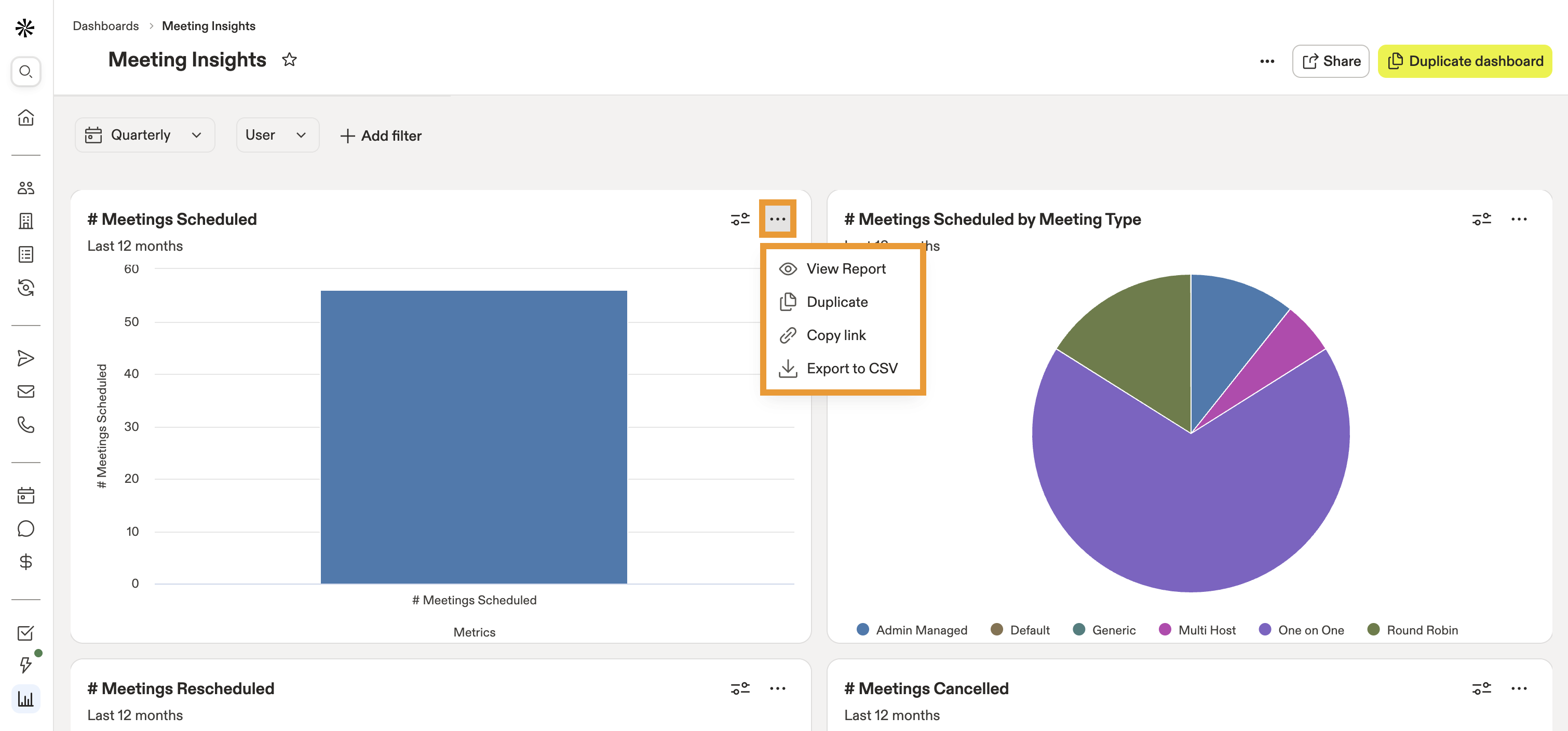
Deep dives into three of these dashboards — Email Engagement Performance, Meeting Insights, and the Data Enrichment health center — are covered in our companion reviews below.
Verdict
Apollo's Analytics dashboard library is one of the stronger 'time to value' features in the sales-tech category. Instead of forcing every customer to design its own reporting from a blank canvas, Apollo ships ten opinionated, role-specific dashboards and a filtering system robust enough to manage them as the library grows.
For revenue teams evaluating a sales engagement platform, the breadth and organization of this dashboard library is a meaningful signal of how seriously Apollo treats the reporting layer — not as an afterthought, but as a first-class part of the product.